Notice: Function WP_Scripts::localize was called incorrectly. The $l10n parameter must be an array. To pass arbitrary data to scripts, use the wp_add_inline_script() function instead. Please see Debugging in WordPress for more information. (This message was added in version 5.7.0.) in /home4/railmu7v/public_html/wp-includes/functions.php on line 6170
Notice: Function WP_Scripts::localize was called incorrectly. The $l10n parameter must be an array. To pass arbitrary data to scripts, use the wp_add_inline_script() function instead. Please see Debugging in WordPress for more information. (This message was added in version 5.7.0.) in /home4/railmu7v/public_html/wp-includes/functions.php on line 6170
Notice: Function WP_Scripts::localize was called incorrectly. The $l10n parameter must be an array. To pass arbitrary data to scripts, use the wp_add_inline_script() function instead. Please see Debugging in WordPress for more information. (This message was added in version 5.7.0.) in /home4/railmu7v/public_html/wp-includes/functions.php on line 6170
Notice: Function WP_Scripts::localize was called incorrectly. The $l10n parameter must be an array. To pass arbitrary data to scripts, use the wp_add_inline_script() function instead. Please see Debugging in WordPress for more information. (This message was added in version 5.7.0.) in /home4/railmu7v/public_html/wp-includes/functions.php on line 6170
Skip to content
DMTR (Daily Material Transaction Report): User Depot Module
DMTR is summary of list of all the finalized transactions on a particular day. Here is the User Manual for viewing/printing DMTR report on UDM Module of Indian Railways.
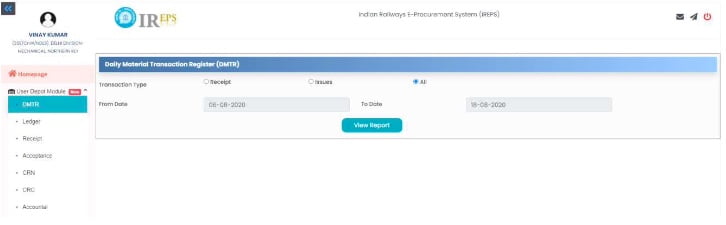
On clicking DMTR Tab on Left side Panel, following Screen will open:
3.2 Viewing DMTR reports
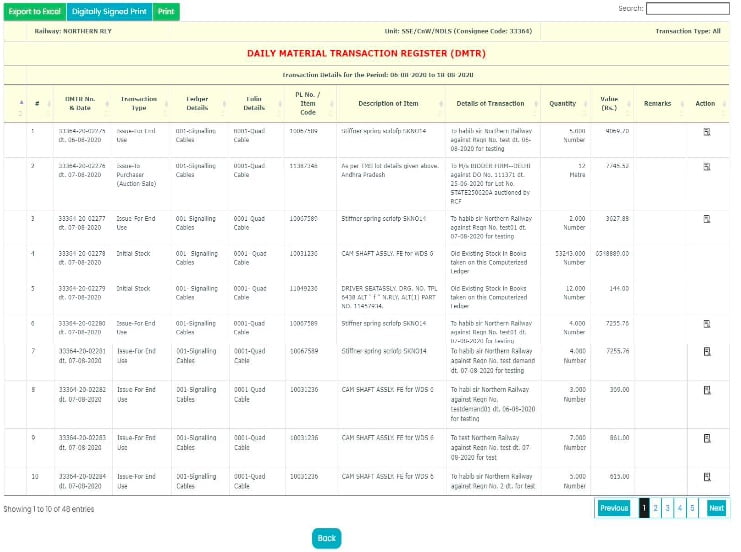
User may select Transaction Type and the Time Period for which DMTR is required as per his requirement. We have set default Transaction Type as All and the Time Period as last three days from the current date. On clicking View Report, following DMTR will get opened:
3.3 Search & Print facility of DMTR
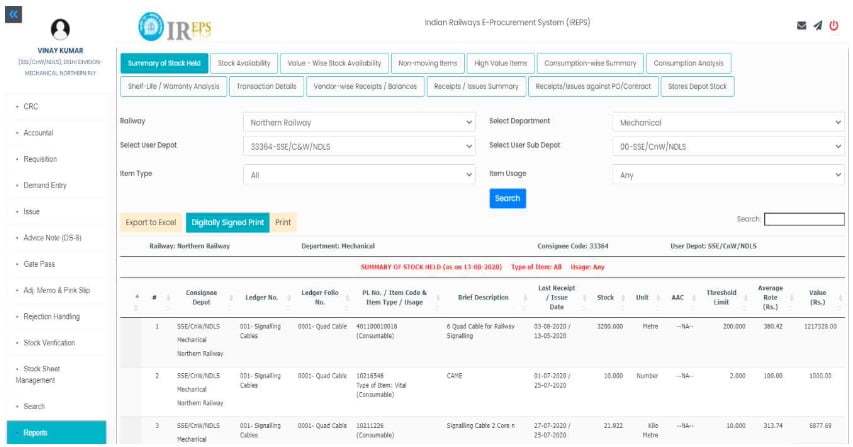
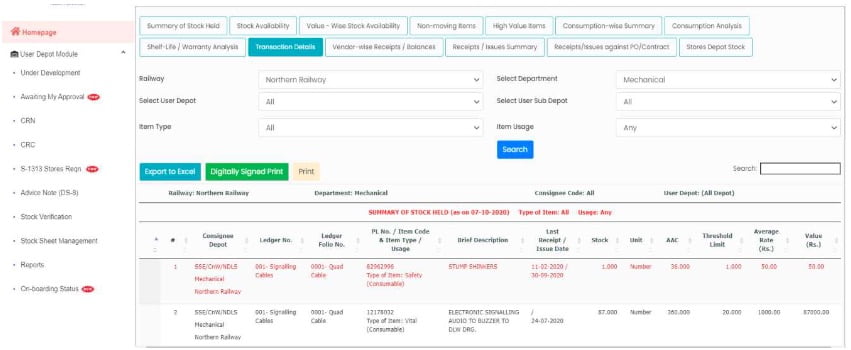
Search facility can be used to search a particular transaction. Hyperlinks have been provided to view various types of documents. Also, by clicking icon available under Action Header, User can view further details / documents. Facility to take Print / Digitally signed Print / Export to Excel the DMTR is also there using the Tabs available at top Left Hand side of Page.
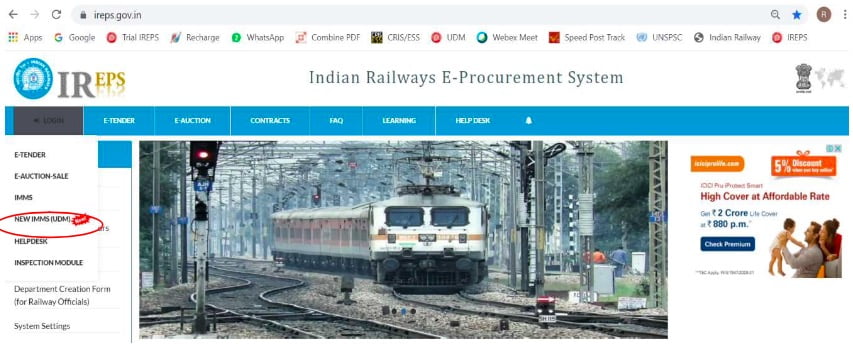
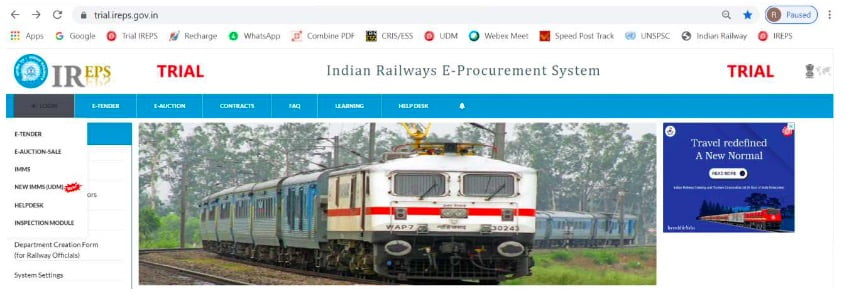
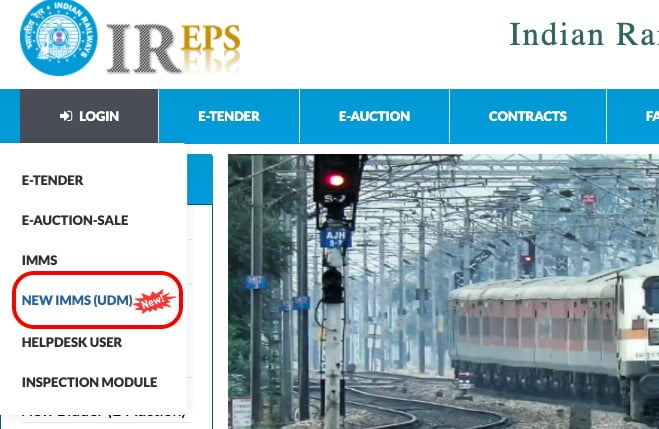
For using “User Depot Module”(UDM) in actual Production environment, on Home Page of IREPS Portal https://ireps.gov.in, user is required to select Login –> NEW IMMS (UDM):
For Trials / Testing, user is required to select Login –> NEW IMMS (UDM) on Home Page of IREPS Portal https://trial.ireps.gov.in which explicitly mentions TRIAL on top portion as under:
2.2 Click –> Login:
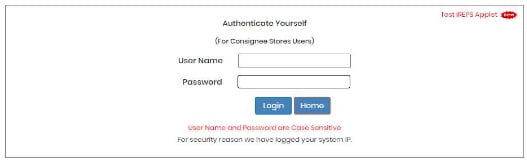
On the screen shown below, User is required to enter his User Name & Password and Click –> Login:
For Production site of UDM available on Portal https://ireps.gov.in, all officers of the Railways wherein UDM has been made live, have been given access using their existing User-Name / Password on IREPS (as used by them for Works/Stores Tenders). Such Officers having Admin rights can create new posts / users for using UDM, following the standard procedure of creating Posts / Users in IREPS. After Posts/Users are created, further action for mapping of Consignee Code, IMMS ID & Sub-Consignee is to be done as per Para 19 of this User Manual. It is clarified that UserID/Password currently being used on IMMS cannot be used for this UDM. For Trial site of UDM available on Portal https://trial.ireps.qov.in, users will be created by CRIS after getting user details.
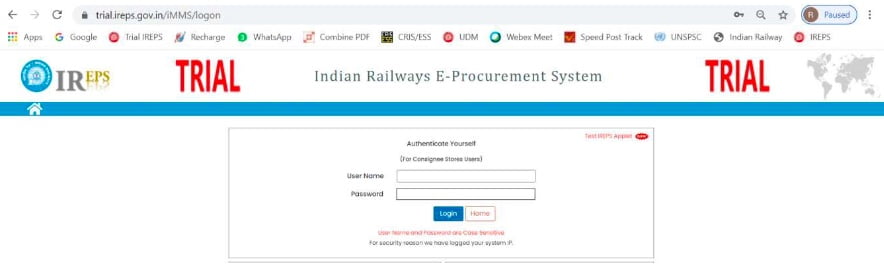
Login Screen on https://trial.ireps.qov.in explicitly mentions TRIAL on top portion as under:
2.3 Attach Digital Signature Certificate and Login
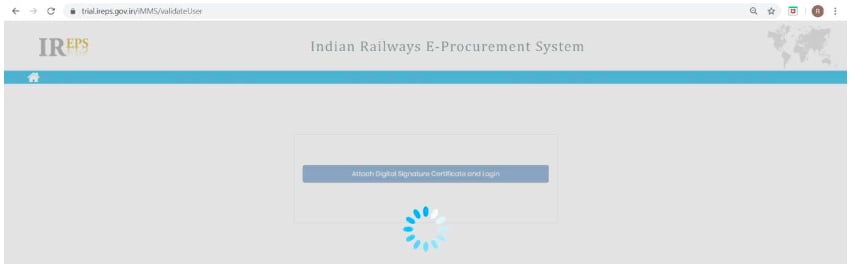
Now click Tab –>Attach Digital Signature Certificate and Login. The following Screen will appear:
2.4 Click –> Select
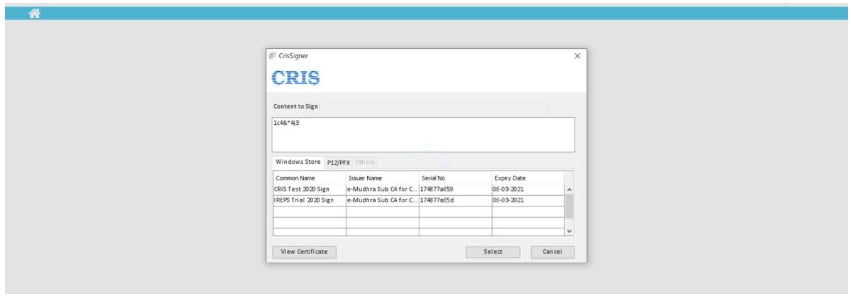
After waiting for few moments, screen shown below will be available on which User is required to select his DSC and Click –> Select… System may ask for User Name / Password of Digital Token of the User, please provide the same. For Test DSC, User Name / Password of User’s Digital Token will not be asked.
2.5 Home Page
Now, User is ready to use “User Depot Module” (UDM) and following Home Page will appear for the Transaction Users who have Consignee Codes mapped against their login:
2.6
Every User who wishes to make transaction on User Depot Module has to be mapped to a Consignee Code. Each Consignee Code can have as many Transaction Users, as one wishes. One will be the Main Depot User while other Users will be created by Main Depot User (with the approval of Officer) as a Sub-Depot/Sub-Consignee User as per Para 19.2 to 19.8 below. Mapping of Main Depot User to a Consignee Code will be done by the Administrator/Officer concerned as per Para 19.13 below.
2.7
Further, in order to be enable receipt & accountal of material from Stores Depot, Users(Main Depot User as well as Sub-Depot/Sub-Consignee User) will have to be a registered user on existing IMMS Application. Mapping of Users (Main Depot User as well as Sub-Depot/Sub-Consignee User) with IMMS User ID will be done by the concerned User himself as per Para 19.9 to 19.11 below.
2.8
For other Users who are not Transaction Users i.e. Officers etc., who do not have Consignee Code mapped with them, will see following Home screen:
This “User Depot Module” (UDM) intends to computerize various material management activities at the end of User Depots i.e. Consignees. This will enable authorized user for:
Creation of Computerized Ledgers & DMTRs (Daily Material Transaction Reports) for recording receipt & issue transactions by authorized Users.
Receipt of Stores by User Depots/Consignees against Purchase Orders/GeM Orders/Contracts wherein material to be delivered directly to Consignees, against Cash Purchase/lmprest, from Shops, from Other User Depots/Consignees on Loan/Assistance basis, from other Field Units, against Book Transfer within same User Depot, from Stores Depots against S-1313 (Combined Requisition-cum-lssue Note) / S-1830 (Imprest Issues) / Non-Stock R-Notes/ Sale Issue Notes.
Issue of material to End User, to other User Depots/Consignees on Assistance/Loan basis, to Contractors, on Book Transfer within same User Depot, to Stores Depots on Advice Note, to Purchasers for Scrap Deliveries etc.
Placing Requisitions on Stores Depots for Stock Items (S-1313 as well as Imprest Demands)
Placing Demands on User Depots/Consignees, Issue Note, Gate Pass, Adjustment Memo etc.
Transacting with Non-Computerized User Depots/Consignees w.r.t. receipt & issue of material.
Integration of payment activities on IPAS with digitally signed Consignee Receipt Note (CRN) / Consignee Receipt Certificate (CRC) being generated in “User Depot Module”, once the Module gets stabilized.
Rejection Handling – both Initial Rejection as well as Warranty Rejection
Real time information exchange among various stake-holders leading to enhanced operational efficiency, economy and transparency.
Any user for this User Depot Module for a particular Railway or Department or Unit can be created by any concerned officer (JAG & above) or by any other concerned officer who has Administrator rights or by Departmental Administrator.
As elaborated at Para 19 of this User Manual, every User who wishes to make transaction on User Depot Module has to be mapped to a Consignee Code.
Each Consignee Code can have as many Transaction Users, as one wishes. One will be the Main Depot User while other Users will be created by Main Depot User (with the approval of Officer) as a Sub-Depot/Sub-Consignee User.
Mapping of Main Depot User to a Consignee Code will be done by the Administrator/Officer concerned.
Further, in order to be enable receipt & accountal of material from Stores Depot, Users(Main Depot User as well as Sub-Depot/Sub-Consignee User) will have to be a registered user on existing IMMS Application.
Mapping of Users (Main Depot User as well as Sub-Depot/Sub-Consignee User) with IMMS User ID will be done by the concerned User himself.
Officers cannot make basic transactions but they will have authority to approve CRN / Advice Note of Users of their Department and they can view various Reports / Transactions etc. of various Users.
Officers need not to be linked with Consignee Code.
For using this UDM, user has to possess a valid Class-2 or Class-3 Digital Signature Certificate (DSC) which is being used on IREPS / SPARROW etc.
For installation of DSC, standard procedure available in Learning Centre & System Settings options under Learning or Quick Links or Assistance Tab on https://ireps.gov.in or https://trial.ireps.gov.in can be used.
Users may seek assistance of existing IREPS Users for assistance regarding DSC.
For testing purpose, CRIS will be providing Test DSC, but users can change this Test DSC with their own DSC using the standard procedures referred above.
Digitization of complete Supply Chain of Railway Stores
User Depot Module (UDM) developed by CRIS (Centre for Railway Information Systems) was rolled out digitally across all User Depots of Western Railway by Sri P. C. Sharma, Member(T&RS) on 28.09.2020.
Transformation from Manual working to Digital Working…
This system will be implemented shortly across all Zones of Indian Railways. Railway’s supply chain up to Stores Depots has already been digitized, however activities at user end are being done manually.
Implementation of UDM system will bring in transformational changes from manual working to digital working with real time transactions and online information exchange among all stakeholders. This will ensure digitization of complete supply chain, including user depots.
The system will facilitate economy, efficiency and transparency besides improved asset management. It will ensure improved service level and satisfaction to customers.
Intended benefits of UDM:
Computerization of the entire Supply Chain i.e. Consignee End / User Depots will also included in Digital Supply Chain (Stores Depots are already there)
Optimization of material procurement leading to cost reduction & economy
Improved Level of Service to internal as well as external customers
Traceability of material usage leading to improved Asset Maintenance
Transformational changes from manual working to digital working
Real time information exchange among various stake-holders
Enhanced efficiency, economy & transparency
On Western Railway, there are around 450 user depot (Stores Depot) which will be on-boarded with User Depot Module (UDM) by December 2020. Thereafter, the UDM will be implemented across all Zones of Indian Railways in Mission Mode approach.
Transactions with Non-Computerized User Depots/Consignees
Generation of Adjustment Memos for raising Debits on Other User Depots
Generation of Daily Material Transaction Report (DMTR)
Inventory Management, Consumption Analysis, Shelf-Life based Analysis
Provision of various types of MIS/Exception Reports which can be downloaded in MS-Excel by User for further Analysis
Real time Stock availability in User Depots & Stores Depots
Additional Capabilities planned:
Facility for processing of Non-Stock Demands in UDM (activity presently being done in iMMS).
Integration of payment activities on IPAS with digitally signed Consignee Receipt Note (CRN) / Consignment Receipt Certificate (CRC) being generated in UDM once the Module gets stabilized.
UDM data will be made available to other applications like Track
Management System (TMS) & SLAM (Software for Loco Asset Mgt.) etc.
Requirements at User End:
PC / Laptop / Printer / Internet Connectivity
Minimum Class-2 Digital Signature Certificate (DSC)